
lucasx001/dsh-skin-claude-code
30最近提交 2026年8月15日
dsh-skin-claude-code DSH 插件
该皮肤将 DeepSeek Harness 的 Web 界面重新着色并采用 Claude Code 风格的字体和配色。它通过令牌覆盖层自动适配浅色、深色和系统偏好,且不修改原始主题。
如何安装 dsh-skin-claude-code DSH 插件
dsh plugin --profile web add dsh-skin-claude-code复制不会执行命令。安装 dsh-skin-claude-code DSH 插件前请核对仓库和版本。
dsh-skin-claude-code DSH 插件数据来源
dsh-skin-claude-code DSH 插件快照日期:2026年8月18日
discovered
dsh-skin-claude-code DSH 插件能做什么
- 将 Web GUI 改为暖炭/奶油色表面,搭配陶土色强调色
- 使用 JetBrains Mono 或 ui-monospace 等宽字体
- 支持浅色、深色和系统模式,通过可逆令牌覆盖层实现
- 作为 DSH 捆绑包安装,自动注册,无需手动编辑补丁
- 仅使用公开主题令牌,可在 Harness 更新时安全降级
dsh-skin-claude-code DSH 插件适合哪些场景
- 自定义 DeepSeek Harness Web GUI 使其具有 Claude Code 风格
- 为偏好等宽字体的开发者提供更温暖、更易读的界面
- 在不修改原始主题文件的情况下尝试不同的视觉主题
- 快速应用一个自动适配浅色和深色模式的皮肤
- 以该皮肤为基础,通过编辑令牌映射进一步自定义
dsh-skin-claude-code DSH 插件适合谁
- 希望拥有 Claude Code 风格外观的 DeepSeek Harness 用户
- 偏好暖色调和等宽界面的人工智能工具开发者
dsh-skin-claude-code DSH 插件的限制
- 仅影响 DeepSeek Harness 的 Web GUI,不影响终端或其他界面
- 需要已安装 DeepSeek Harness 并配置了 Web 配置文件
- 该皮肤纯属外观美化,不增加任何新功能
dsh-skin-claude-code DSH 插件的仓库 README 摘录
以下文字摘自 dsh-skin-claude-code DSH 插件的上游仓库 lucasx001/dsh-skin-claude-code 的 README,版权归原作者,仅作引用。
English | [中文](README.zh.md) A **Claude Code–inspired skin** for the [DeepSeek Harness](https://github.com/deepseek-ai/deepseek-harness) web GUI. It restyles the browser surface with Claude Code's signature look: - **Warm charcoal / warm cream** surfaces instead of the stock cool grays - **Terracotta accent** (`#D97757`) for brand, focus, caret, links, and scrollbars - **Monospace terminal typography** (JetBrains Mono / ui-monospace fallback) - Warm-tinted code blocks and `code`/`pre` surfaces The skin stacks a token-override layer over whatever theme is active, so it adapts automatically to **light**, **dark**, and **system** preferences. ## Preview | Dark | Light | | --- | --- | | 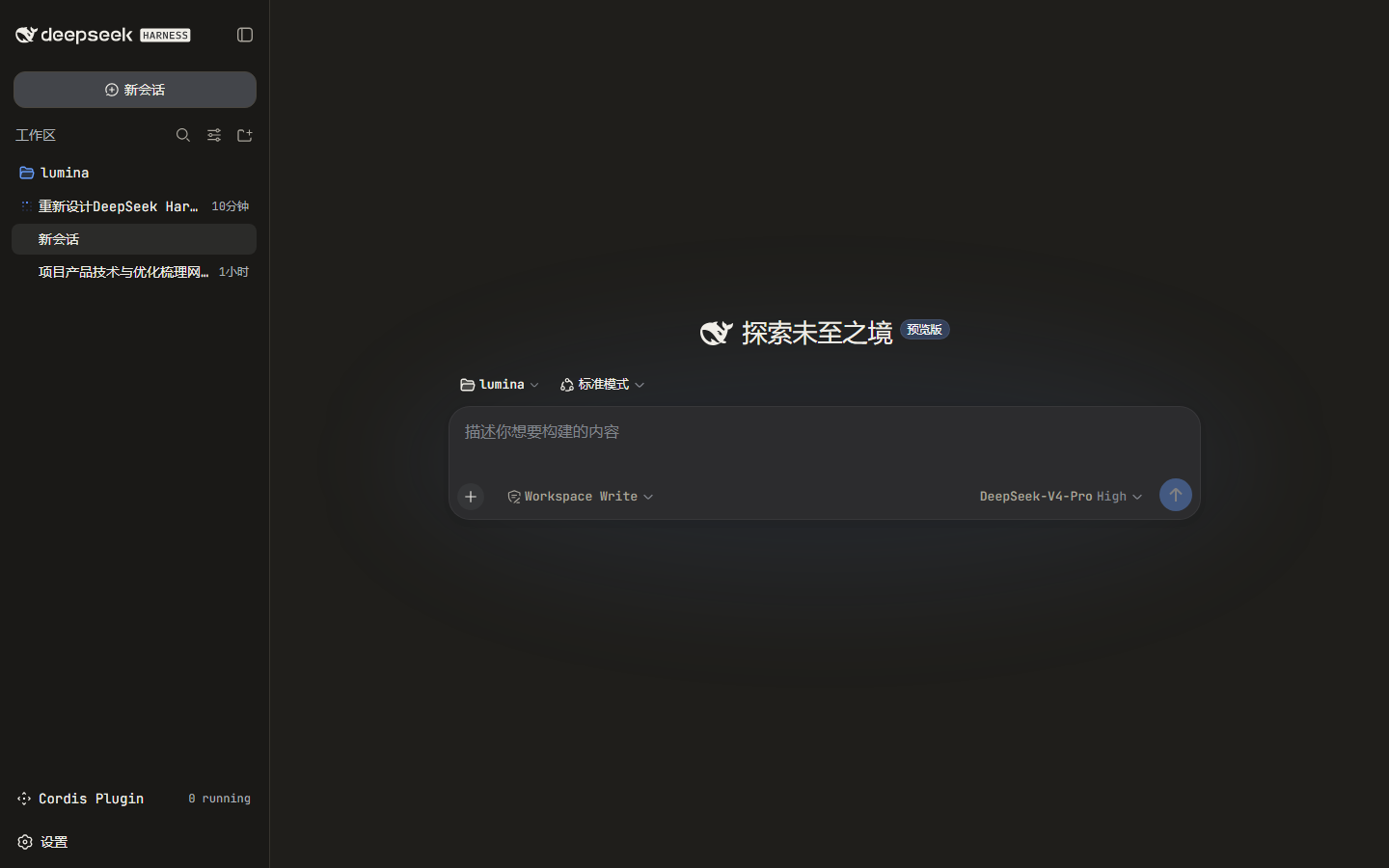 | 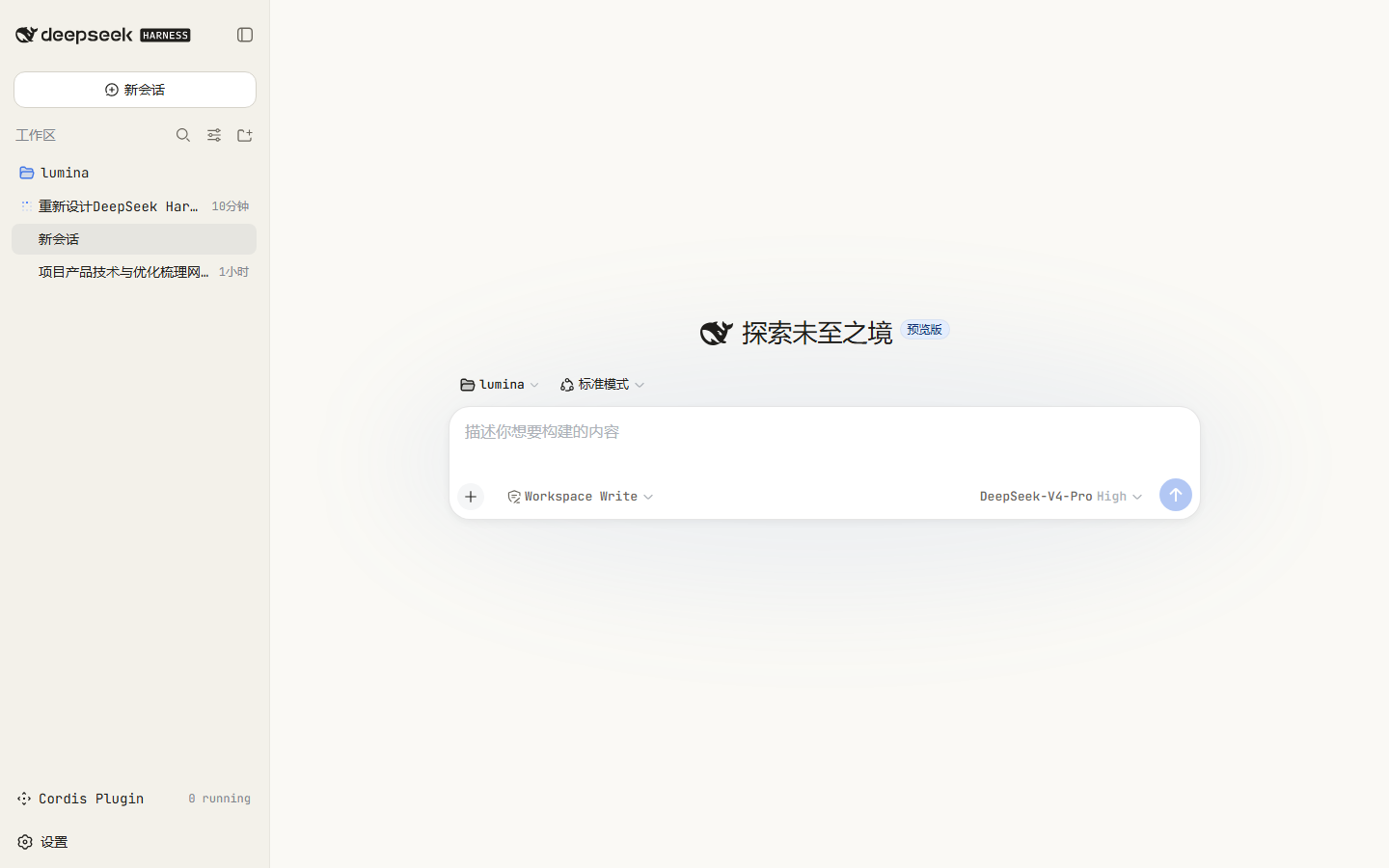 | --- ## Install The package is a DSH **bundle**: its `package.json` declares `dsh.bundle.patch`, so `dsh plugin add` installs it **and** auto-registers it as a profile layer. No `cordis.patch.yml` editing is required. ```sh dsh plugi
阅读完整 README仓库许可: MIT
dsh-skin-claude-code DSH 插件常见问题
如何安装 dsh-skin-claude-code?
在 DeepSeek Harness 环境中运行命令 `dsh plugin --profile web add dsh-skin-claude-code`,然后使用 `dsh web` 启动 Web 界面。该插件会自动注册为皮肤层。您也可以从仓库根目录运行 `./install.sh` 脚本进行安装。
这个皮肤插件既支持浅色模式也支持深色模式吗?
是的,该皮肤会自动适配浅色、深色和系统偏好。它使用一个令牌覆盖层,为每种模式提供独立的颜色值,因此当您切换主题时,外观会无缝变化。
我可以自定义颜色或字体吗?
当然可以。您可以直接编辑仓库中 `lib/client.js` 文件里的 `TOKENS` 映射和 `CSS` 模板。这些文件是手写的构建产物,无需任何打包步骤。修改后重新发布包或从您的克隆安装即可。
当 DeepSeek Harness 更新时,这个皮肤会出问题吗?
该皮肤设计为安全降级。它仅使用公开的 `--dsw-alias-*` 主题令牌和通用元素,避免使用产品特定的 DOM 选择器。如果未来更新中令牌发生变化,皮肤可能会丢失部分样式,但不会破坏界面。
皮肤插件会增加新的功能吗?
不,它纯粹是外观美化。它改变了外观(颜色、字体、表面),但不会增加任何新功能或修改 DeepSeek Harness Web 界面的行为。