
XMoon/dsh-pi-tui
102Last commit Aug 18, 2026
dsh-pi-tui DSH plugin
dsh-pi-tui provides a full terminal user interface for DeepSeek Harness, covering session management, slash commands, and keybindings. It is built on a vendored fork of pi-tui and integrates as a dsh profile. The plugin offers headless testing support and is designed to work with Node >= 22.19.
How to install the dsh-pi-tui DSH plugin
dsh plugin --profile pi-tui -- add @xmoon76/dsh-pi-tuiCopying does not run this command. Review the repository and version before installing the dsh-pi-tui DSH plugin.
dsh-pi-tui DSH plugin data source
dsh-pi-tui DSH plugin snapshot date: Aug 18, 2026
discovered
What the dsh-pi-tui DSH plugin can do
- Full session loop: input, event display, approvals, commands, session switching, and full-text search.
- Slash commands for sessions, search, presets, models, settings, export, and more.
- Keybindings include Ctrl+F for search, Shift+Tab for permission presets, Ctrl+S for steering, and Alt+↑ for dequeuing.
- File/folder mentions via @ with Tab completion, backed by fd or built-in recursive fallback.
- Background task management with subagent and job browser (Ctrl+T).
- Concurrency guard: detects other writers on the same session and blocks sends (with force option).
Where the dsh-pi-tui DSH plugin fits
- Using DeepSeek Harness entirely in a terminal without a browser.
- Managing multiple sessions with search-as-you-type and session switching.
- Running slash commands for quick presets, model changes, and session export.
- Steering queued messages and managing background tasks directly from the TUI.
- Repairing corrupted session logs with a built-in repair script.
Who the dsh-pi-tui DSH plugin is for
- Developers who prefer terminal-based workflows over graphical interfaces.
- Users of DeepSeek Harness who need a lightweight, keyboard-driven interaction mode.
dsh-pi-tui DSH plugin limitations
- Requires an existing DeepSeek Harness installation with profiles support (dsh on PATH).
- Node >= 22.19 is required; running from source needs Node with native TypeScript support (>= 23.6) or the tsx hook.
- Session concurrency not supported: running two dsh processes on the same session can corrupt logs; the TUI detects and blocks but cannot prevent all cases.
- The plugin is in early development (status: working but covers only main session loop).
- Only works in terminal environments; no browser fallback.
dsh-pi-tui DSH plugin: from the repository README
Quoted from the XMoon/dsh-pi-tui README, the upstream source of the dsh-pi-tui DSH plugin. Copyright remains with the original authors.
A third-party TUI mode for [DeepSeek Harness](https://github.com/deepseek-ai/deepseek-harness) (`dsh`), built on a vendored fork of [pi-tui](https://github.com/MoonshotAI/kimi-code/tree/main/packages/pi-tui). Run `dsh --profile pi-tui` for a terminal UI instead of the browser GUI (`dsh --profile web`) or one-shot mode (`dsh --profile headless`). > **Status: working.** The TUI covers the main session loop — input → session events, > approvals, commands, session switching and full-text search — plus presets, skills, > model/settings menus, and slash commands. Rendering and input routing are verified > by headless tests (`@xterm/headless`) with no TTY or model connection needed. ## Screenshot 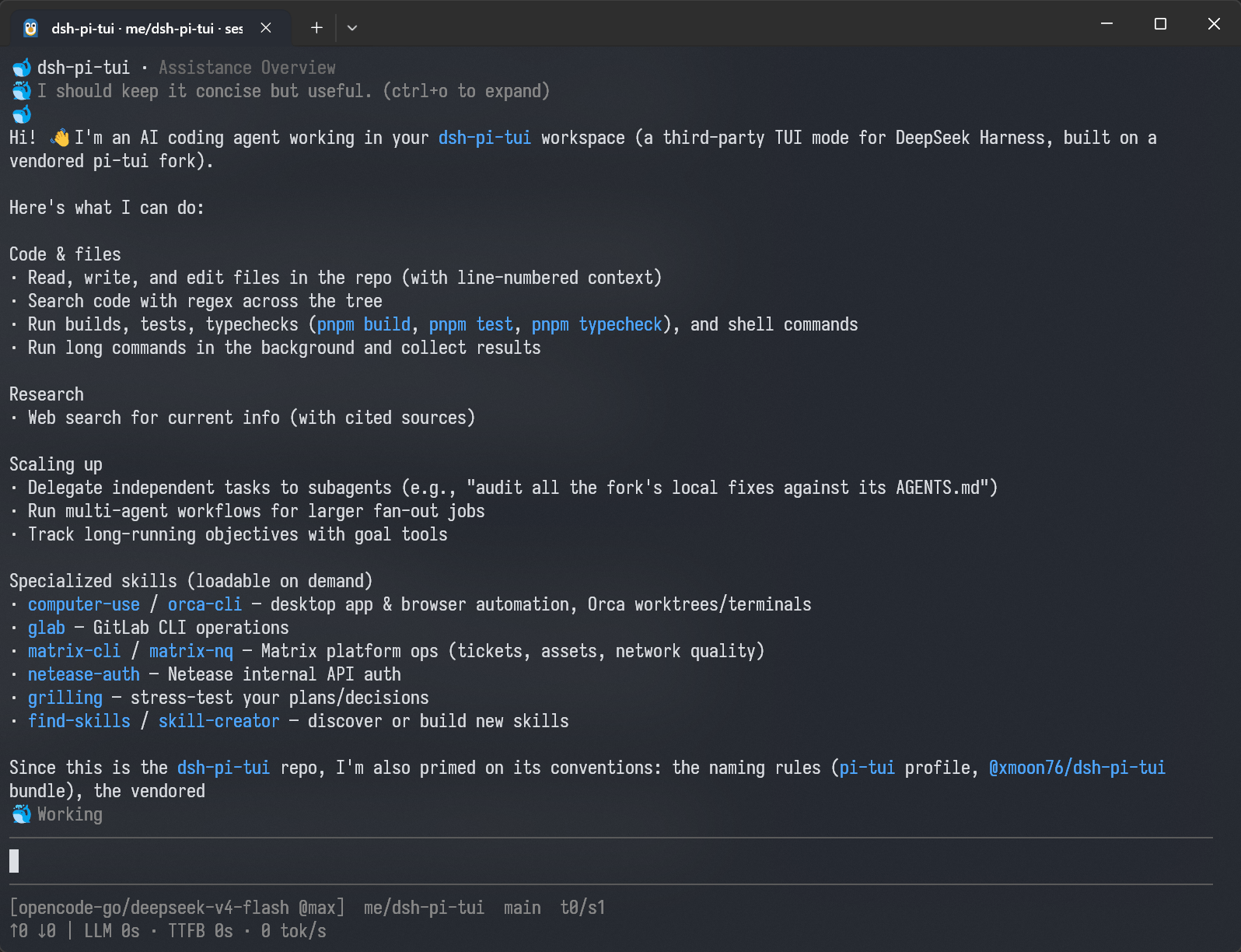 ## Layout ``` packages/pi-tui/ Vendored @moonshot-ai/pi-tui fork, rescoped to @xmoon76/pi-tui. The exact upstream version and commit live in ONE place: packages/pi-tui/package.json `repository.note` (kept in sync on every re-vendor). The local divergence fixes and their guarding tests are listed in
Read the full READMERepository license: MIT
dsh-pi-tui DSH plugin questions
How do I install dsh-pi-tui?
You can install the plugin from the npm registry using the command: `dsh plugin --profile pi-tui -- add @xmoon76/dsh-pi-tui`. This creates the profile if needed and installs the self-contained bundle. Alternatively, you can install from source by cloning the repo, building, and using `file:` or `link:` specifiers.
Does dsh-pi-tui work with any version of DeepSeek Harness?
The plugin requires a version of DeepSeek Harness that supports profiles (the `dsh --profile` option). It is designed for dsh releases that include the profile system. Check your dsh version; if you can run `dsh --profile web`, then profiles are supported.
Can I use dsh-pi-tui and the web GUI at the same time?
It is not recommended. Running two surfaces (TUI and web) on the same session can corrupt the session log. The TUI includes a concurrency guard that detects another writer and blocks sends, but it's safest to use only one interface per session. If you switch, close the other session first.
What Node.js version do I need?
Node >= 22.19 is required. If you are running from source (not the npm package), you need Node with native TypeScript support (>= 23.6) or use the tsx ESM hook (`node --import tsx/esm`).
How do I update the plugin?
For registry installs, run: `dsh plugin --profile pi-tui -- update @xmoon76/dsh-pi-tui`. For source installs using `file:`, rebuild and re-add: `pnpm build && dsh plugin --profile pi-tui -- add @xmoon76/dsh-pi-tui@file:$PWD/packages/dsh-pi-tui`. For `link:` installs, just rebuild and the changes are picked up automatically.